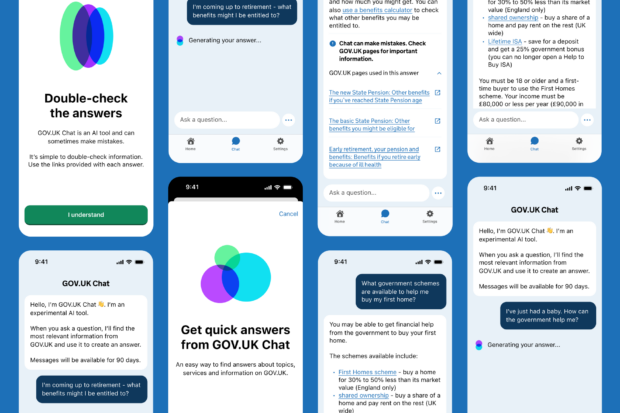
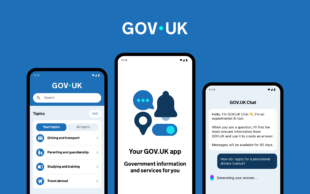
GOV.UK Chat is an experimental AI tool that can help users get quick answers from government content. Our first scaled tests began with a web-based pilot in 2024. Since then we’ve learned much about designing accessible and transparent chat interfaces. The GOV.UK app provided an opportunity to test and refine GOV.UK Chat in a mobile environment. It’s part of the personalised experience of government that GDS is building in the app, as set out in the Roadmap for Modern Digital Government.
In this post, we share what we learned adapting GOV.UK Chat for the GOV.UK app and how user research shaped the design.
Designing for the GOV.UK app
Creating an AI-powered conversational experience was new territory for us when we started working on GOV.UK Chat almost two years ago. Designing for a live, conversation-based interaction with a generative AI system is very different to other things we design at GDS and requires different skills.
While starting with insights from the web, the new context of the app meant there was plenty for us to learn and adjust, including using native interaction patterns and creating new ones. A series of user research rounds and a small-scale test phase in the app enabled us to iterate our designs based on app-specific evidence.
Designing for smaller screens
Because mobile screens are smaller, we needed to use space more carefully. The screen space is more limited, so we tweaked elements to make better use of it. For example, the experience on the web included a set of three introductory messages telling users about the technology used, and the potential inaccuracy of AI-generated answers. For the app experience, we managed to condense the content to fit into one message without losing clarity.
We removed the chat avatar from the chatbot messages to save space and instead used colour and contrast to clearly distinguish between GOV.UK Chat messages and user messages. To match the app colour system, we also created a light and dark mode, using the new brand colour palette.
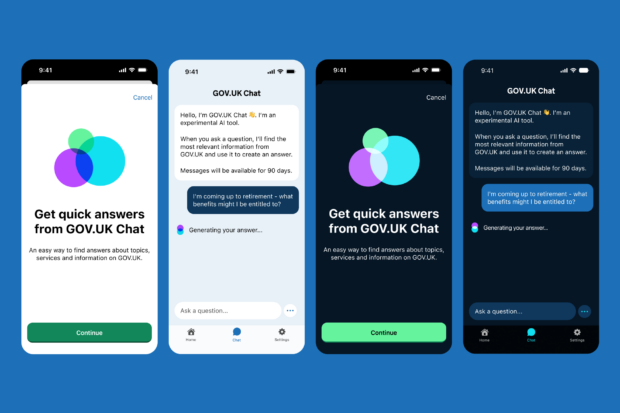
We also needed to address new accessibility challenges. For example, we needed to ensure elements like the input field still worked well when people increased text size on their phones. We also ensured screen readers such as VoiceOver and TalkBack announce the character limit for the text input (if enabled in accessibility settings).
Intuitive user interface
We wanted to make the GOV.UK Chat app experience feel familiar and smooth. Shifting to the app, we needed to adapt designs to use app-specific design patterns, and to work natively and intuitively across both iOS and Android.
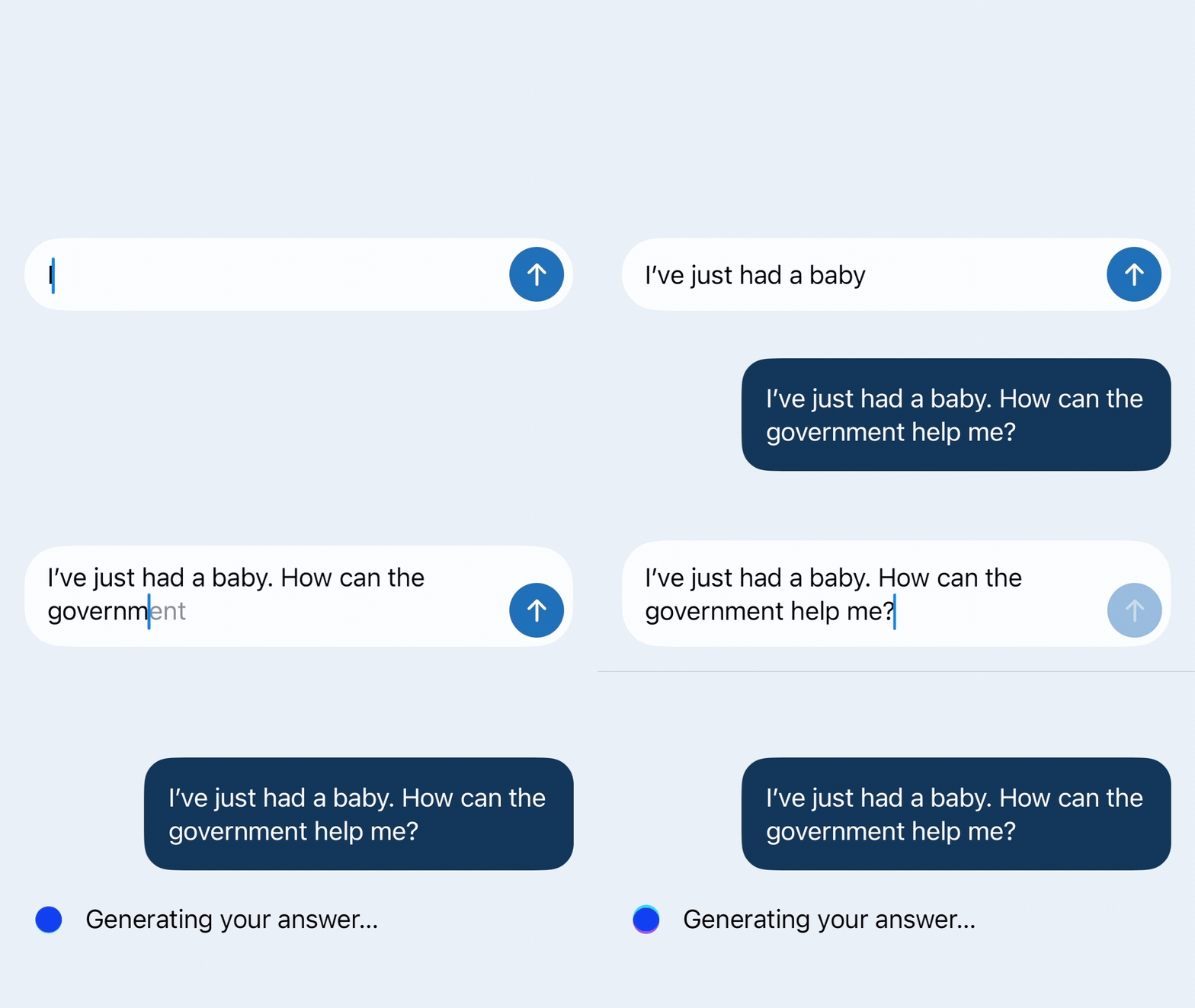
Beyond that, we made small user interface (UI) adjustments like rounding the corners of chat bubbles, and carefully considered micro-interactions like how messages appear, how elements transition between states (for example, the send button), and how to clearly signal when a response is being generated through a loading state. We grounded the design in established conversational interface patterns. Where it was appropriate, we incorporated thoughtful additions to make the experience feel distinctively GOV.UK, while remaining intuitive.
A new way to interact with government
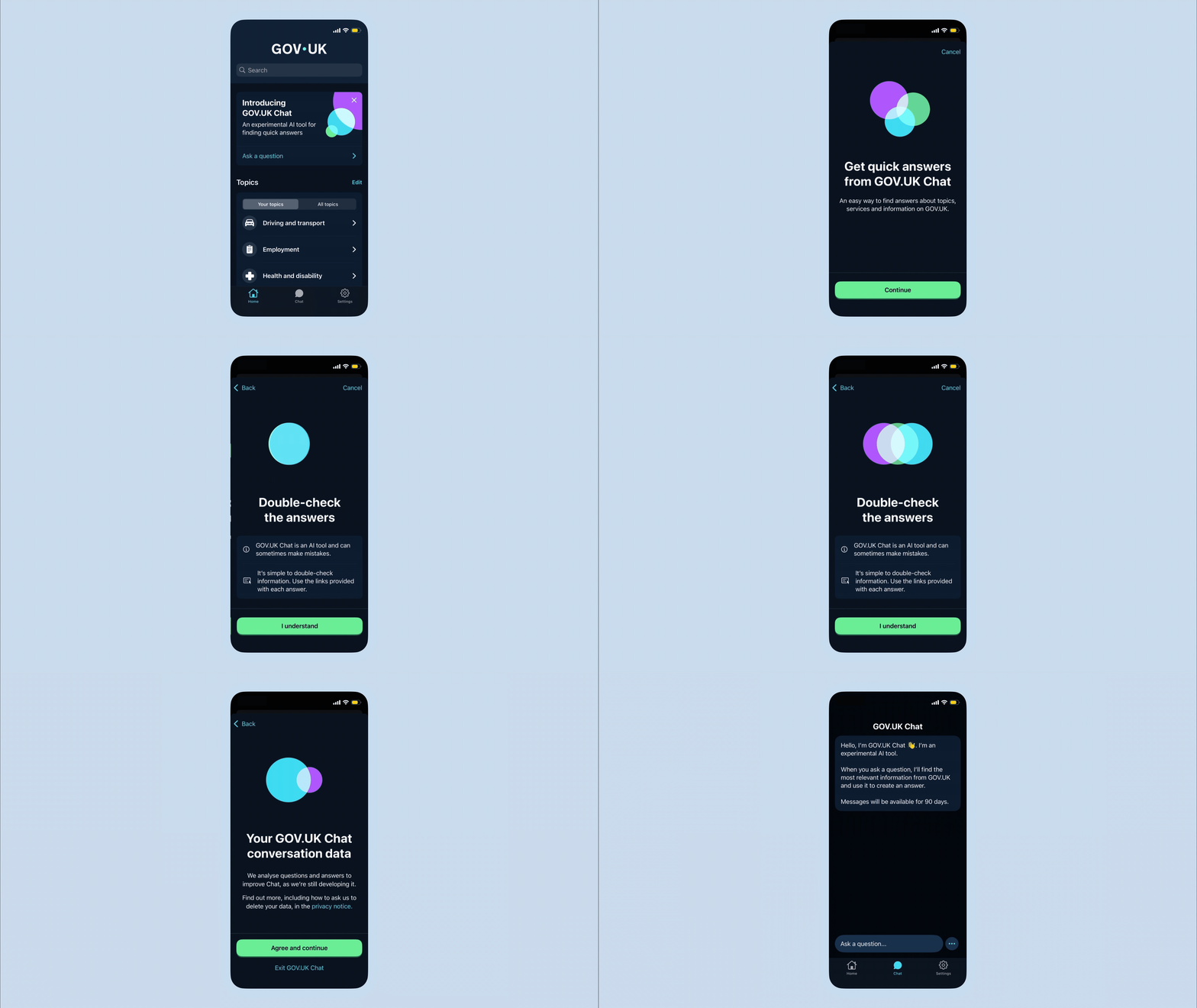
A conversational, AI-powered way to interact with government is also new for our users, requiring us to explain what to expect through a 3-screen onboarding experience.
Based on user insights, we reduced this down to three main messages, one per screen:
- the purpose and scope of GOV.UK Chat
- reminding people that AI can make mistakes and encouraging them to check answers through provided sources
- framing consent by explaining how conversation data is used
We want to be clear with users about what Chat can and cannot do and be upfront about the small, unavoidable risk of inaccuracy with AI tools. Our aim with the design is to set appropriate expectations, and provide an easy way to verify answers with links to the source guidance of every answer.
Making GOV.UK Chat distinct but not different
We also needed to apply the new GOV.UK brand. As an experimental, AI-powered feature, we wanted it to be distinct but sit comfortably and recognisably within the GOV.UK brand.
We also needed the look and feel to set the right expectations. GOV.UK Chat currently focuses on getting quick answers based exclusively on GOV.UK guidance. Feedback from users told us the experience felt more capable than they had expected from a government chatbot. Our aim was to not over-state what GOV.UK Chat can do today, while allowing flexibility to grow with future capabilities.
What’s next
There are still many things we want to improve. Now that GOV.UK Chat is available to app users, we can increase our understanding of real interactions and continue to make evidence-based improvements. Research continues to identify opportunities to improve the experience, and we're prioritising those improvements in future releases. First up, we are working on helping users ask their first question, especially for those with little to no AI experience. As more people use GOV.UK Chat in the app, we will continue learning from real-world interactions and improving the experience based on evidence.
1 comment
Comment by Ian Allan posted on
Very interesting.